For macOS
What people ask you becomes a task on its own.
Radar reads your screen and listens to your calls. When someone asks you for something on Slack, in a Meet or across the table, it lands on your list for the day, with who asked and where it came from.
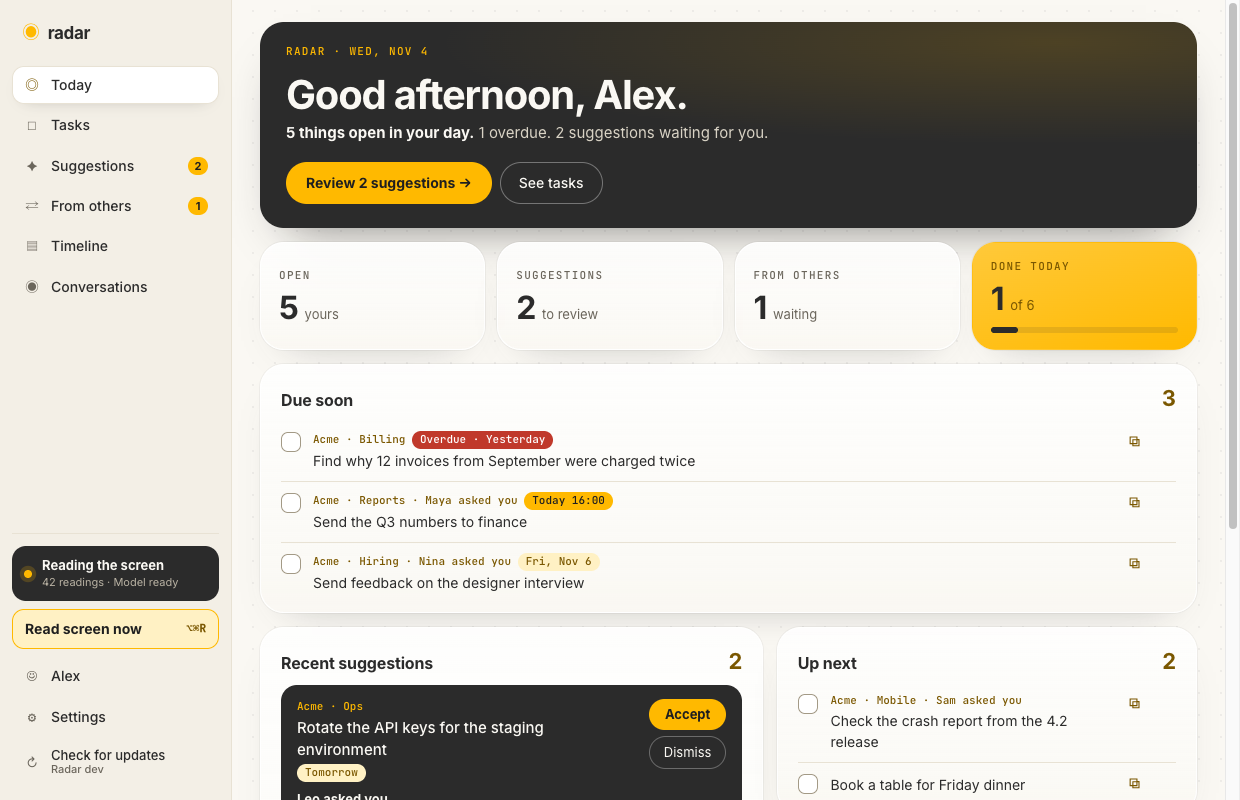
Reads what crosses your screen
Slack, WhatsApp, email, Obsidian. Even what shows up for a few seconds becomes a task suggestion.
Records calls and in-person talks
Notices when you join a Meet, transcribes it, and gives you a summary, decisions and to-dos with owners at the end.
Stays on your Mac
Runs on a local model. Audio is deleted once transcribed. Using an external AI is optional.
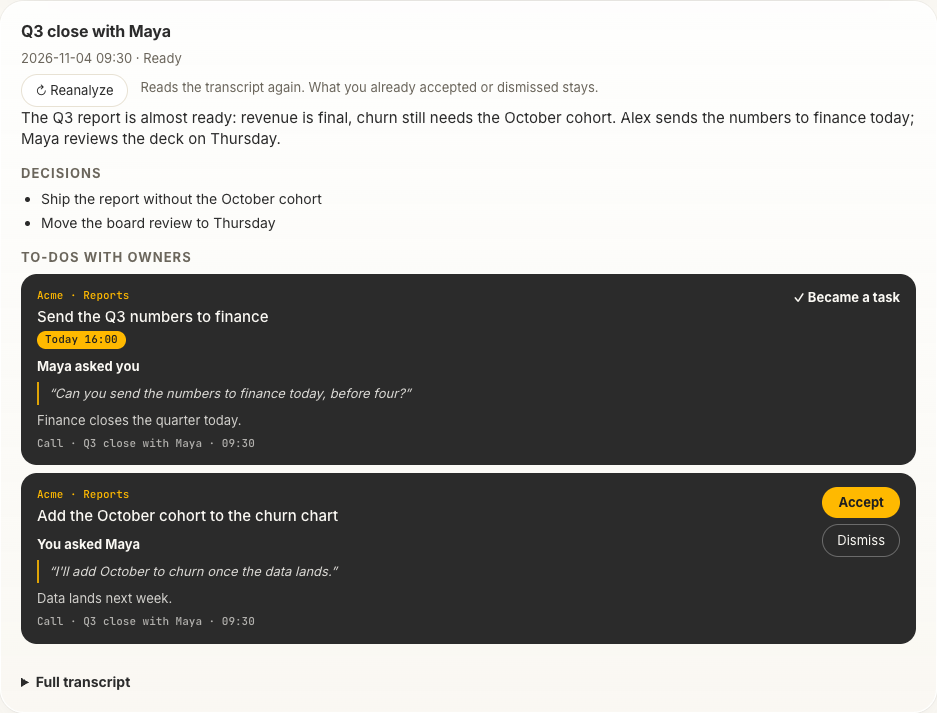
Summary, decisions and who does what
When the call ends, Radar writes what was decided and turns each request into a to-do with its owner, the exact words and the due date. Accept it and it lands on your list.
How to install
- Open Radar.dmg. If macOS says it can't verify it, click Done, go to System Settings → Privacy & Security, scroll down and click Open Anyway.
- Drag Radar to Applications and open it. If it is blocked again, do the same Open Anyway step.
- Allow Screen Recording and Microphone when it asks.
Still blocked? Drag Radar to Applications, then paste this in Terminal: xattr -dr com.apple.quarantine /Applications/Radar.app
Recording calls needs macOS 15. Transcribing them needs macOS 26.